Python PDF Automation – Examples and Real Projects
I specialize in PDF automation with Python, using ReportLab and PyMuPDF. Here you'll find real-world examples, complete courses, and production tools for generating and manipulating PDFs.
Explore my latest projects and technical demonstrations.
Automated Invoice Generation
Example of a production-style invoice generator built with Python. This type of system can generate thousands of invoices automatically from databases or ERP systems.
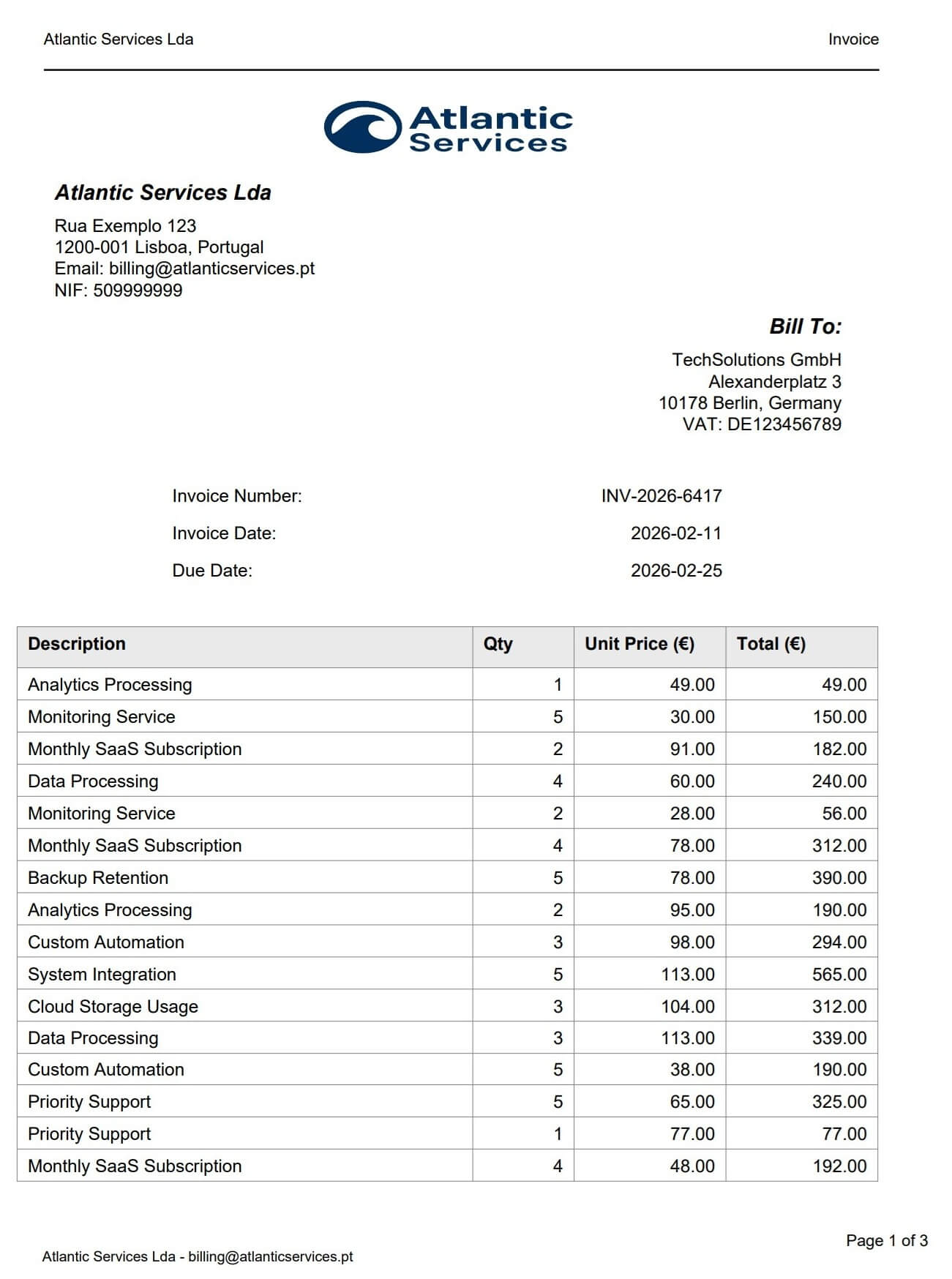
This example demonstrates automated PDF invoice generation using ReportLab in Python. Features include multi-page pagination, repeating table headers, VAT calculations, branded layouts, and BytesIO streaming for API integration. No HTML, no headless browser — pure Python, deterministic output every time.
Fillable PDF Form Generator
Example of a production-style fillable PDF form built entirely in Python — no Acrobat, no Word export. Interactive fields, checkboxes, and a signature area, generated programmatically with pixel-perfect layout control.
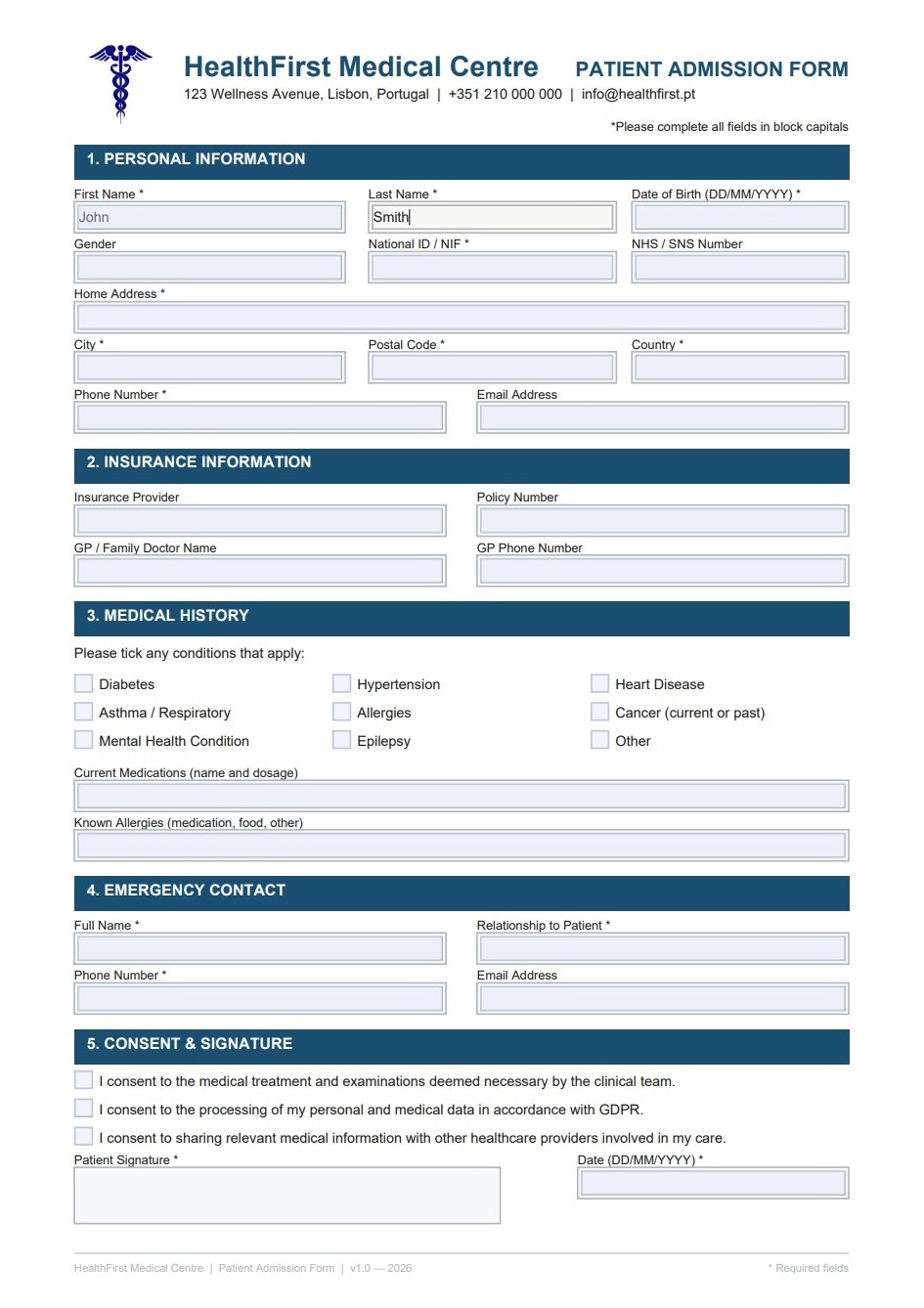
This example demonstrates programmatic AcroForm generation using ReportLab in Python. Features include coordinate-based layout, named text fields, toggle checkboxes, a signature area, and branded section headers — all produced from a single script with no external tools or manual steps.
Fillable PDF Form Extractor
The other half of the cycle. Reads a filled AcroForm PDF and extracts all field data programmatically — grouped by section, exported to Excel. No field name knowledge required.
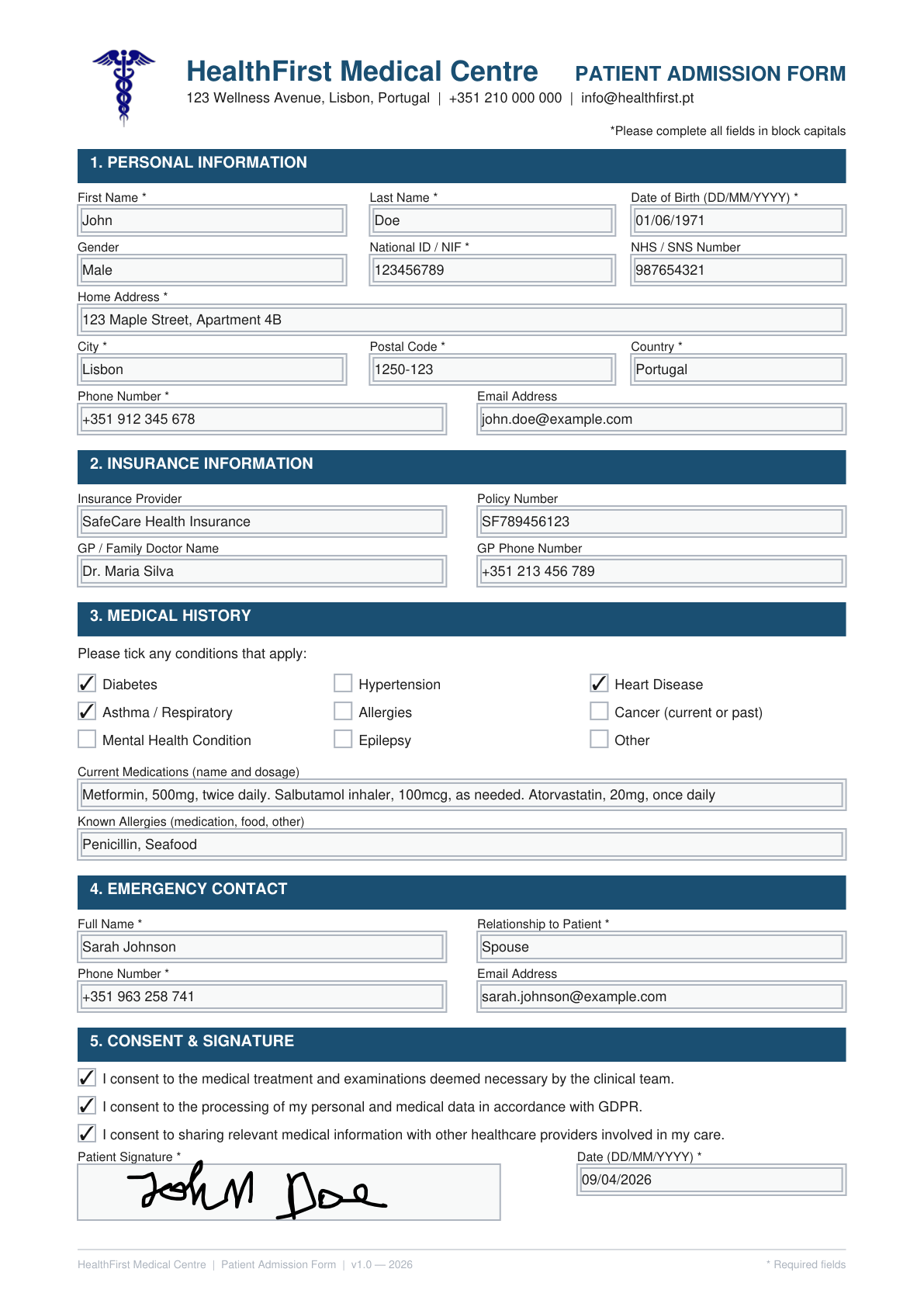
Extracts AcroForm field data by spatial region — not by field name. Works on third-party forms where the internal structure is unknown. Includes an inspection mode to calibrate section boundaries visually before running extraction. Output: a formatted Excel file with all fields grouped by section.
PDF Invoice Data Extraction — PDF to Excel
A real-world invoice from an external source, processed entirely with Python. The script locates each data region dynamically — no hardcoded coordinates.
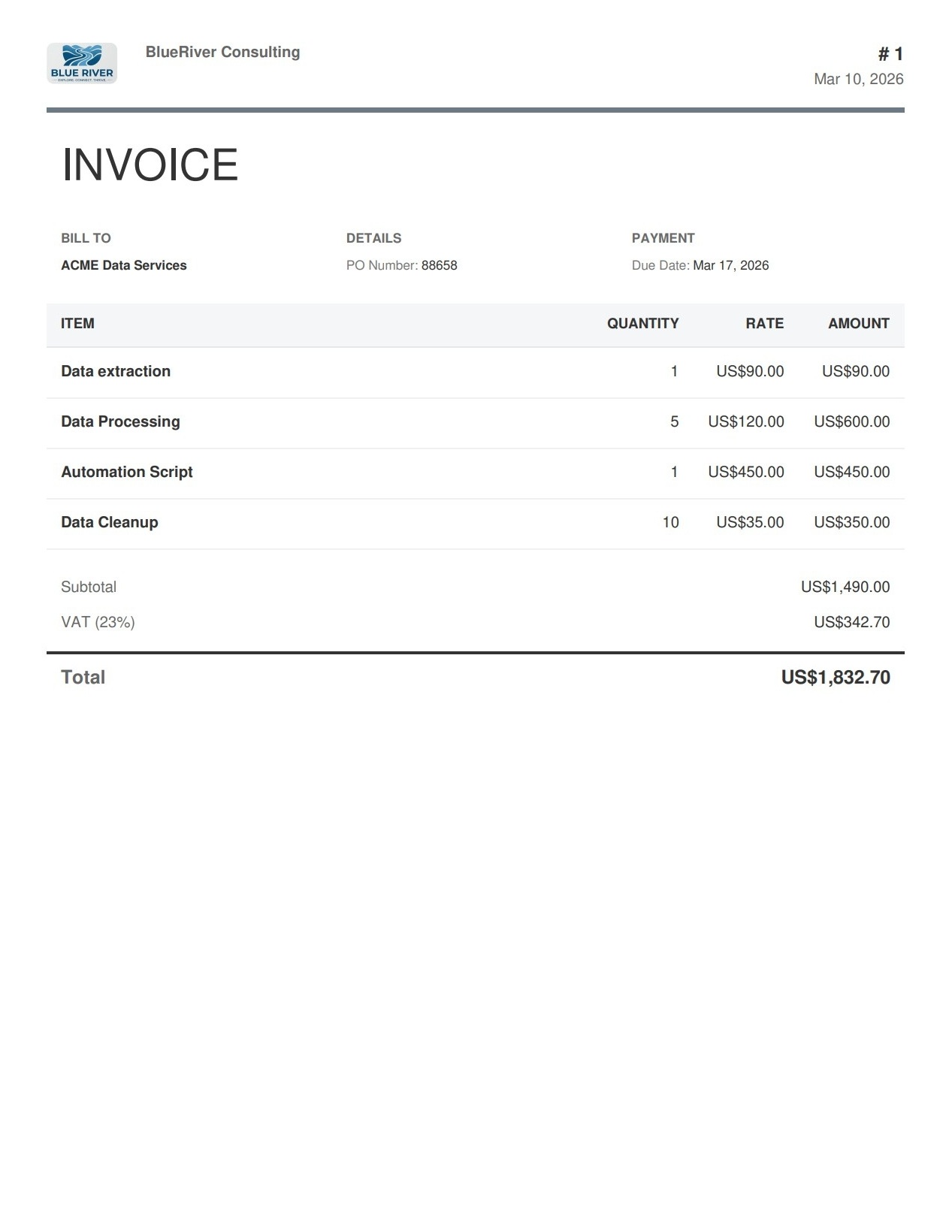
Source Document
A real PDF invoice from an external source — not generated by me.
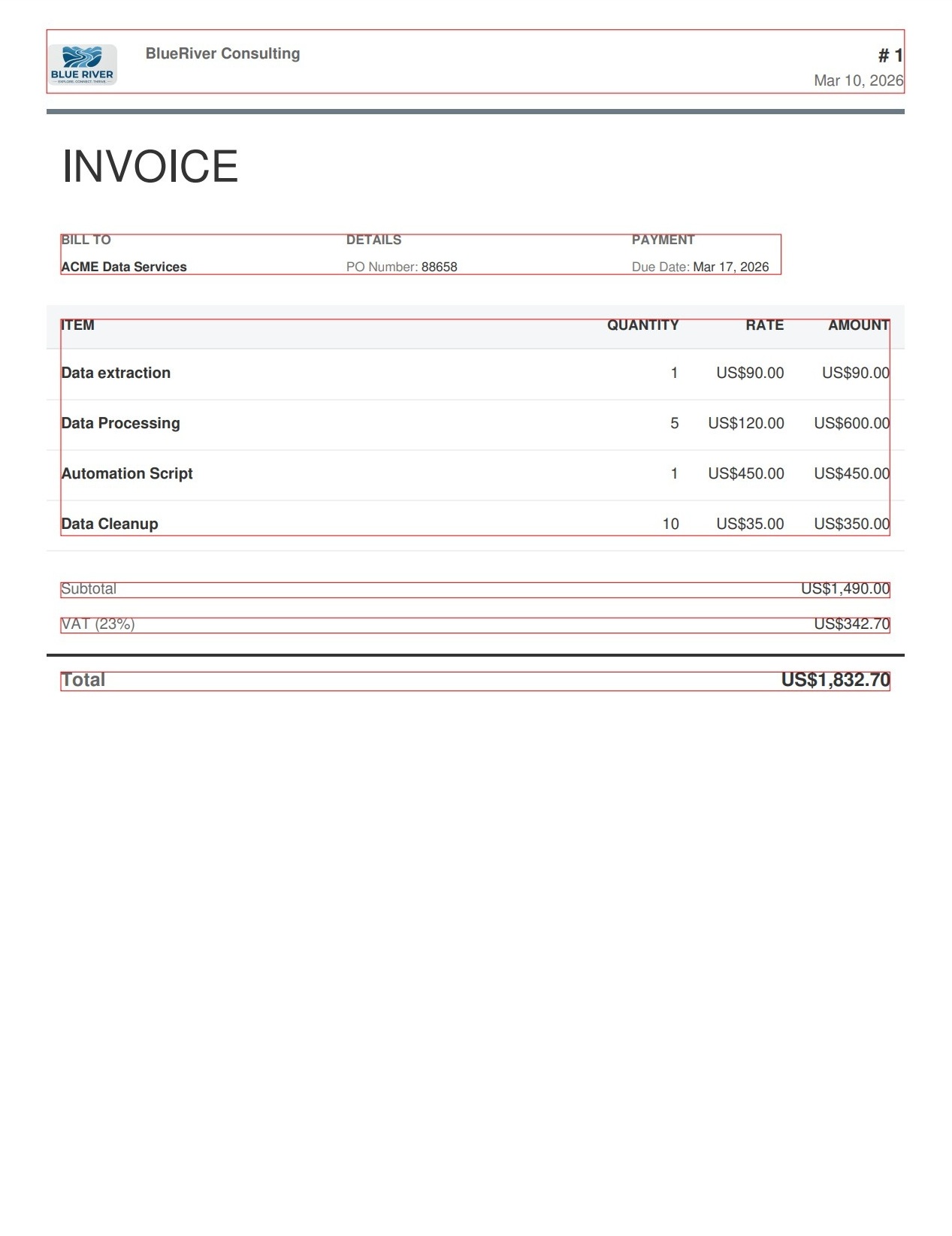
Dynamic Detection
Bounding boxes computed at runtime by locating anchor words.
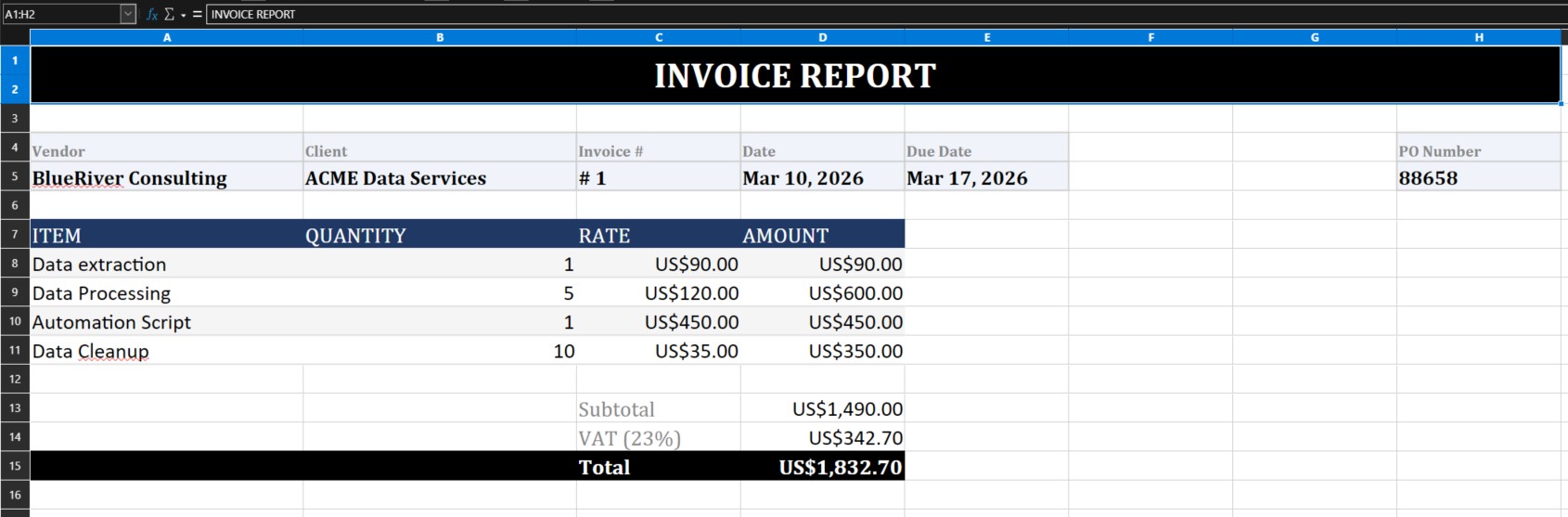
Excel Output
Structured, formatted Excel report ready for accounting or ERP.
This example demonstrates a complete Python PDF automation pipeline: extracting structured data from a real-world invoice using pdfplumber, dynamic bounding box detection, and exporting to a formatted Excel report using openpyxl. No hardcoded coordinates — the script adapts to the document layout automatically.
Handwritten OCR — Export to PDF, Excel and Word
A real photo taken with a mobile phone, processed entirely with Python. Image orientation is corrected automatically before sending to Google Gemini.
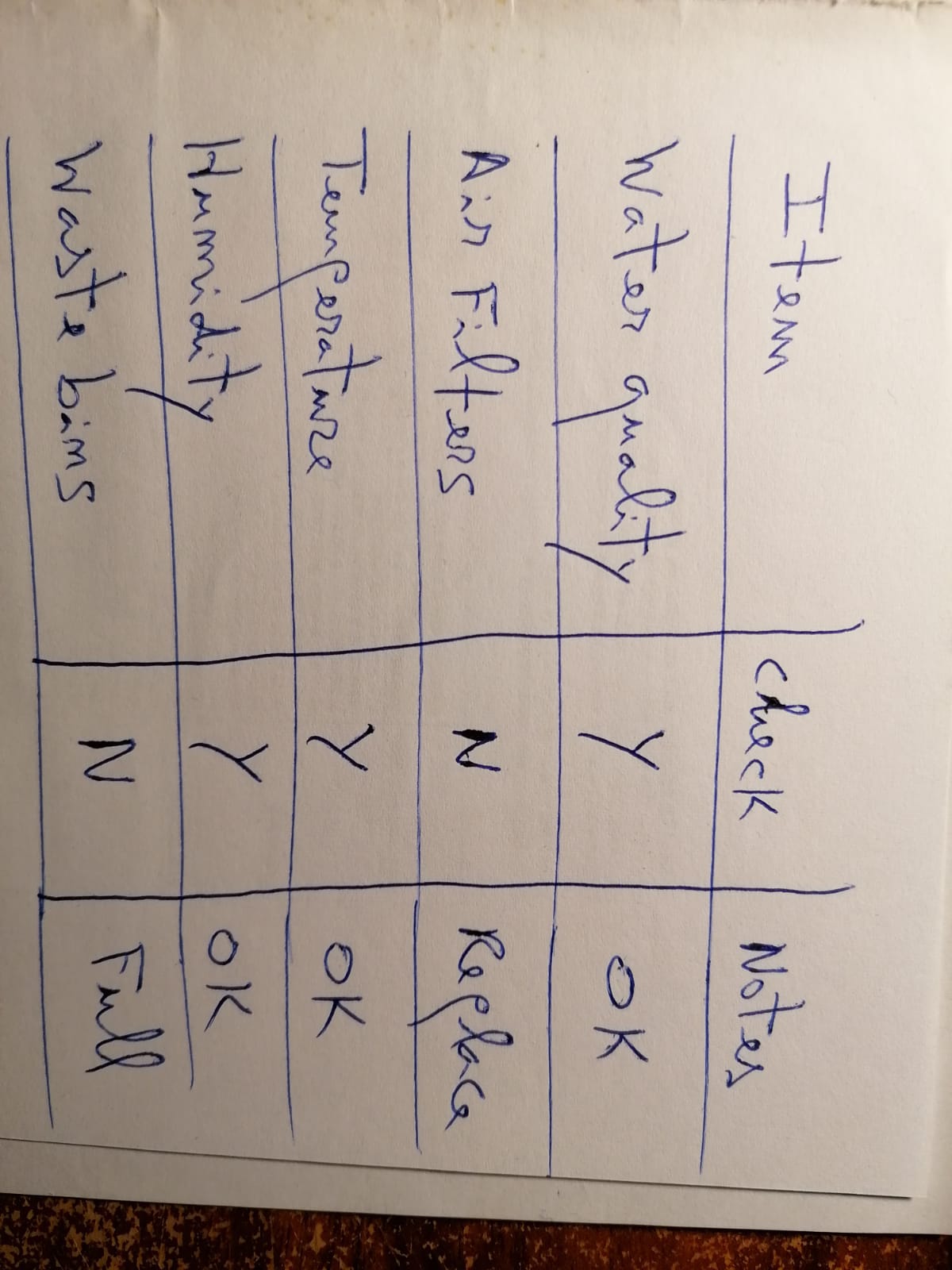
Handwritten Photo
A real photo taken with a mobile phone — imperfect, rotated, cursive handwriting.
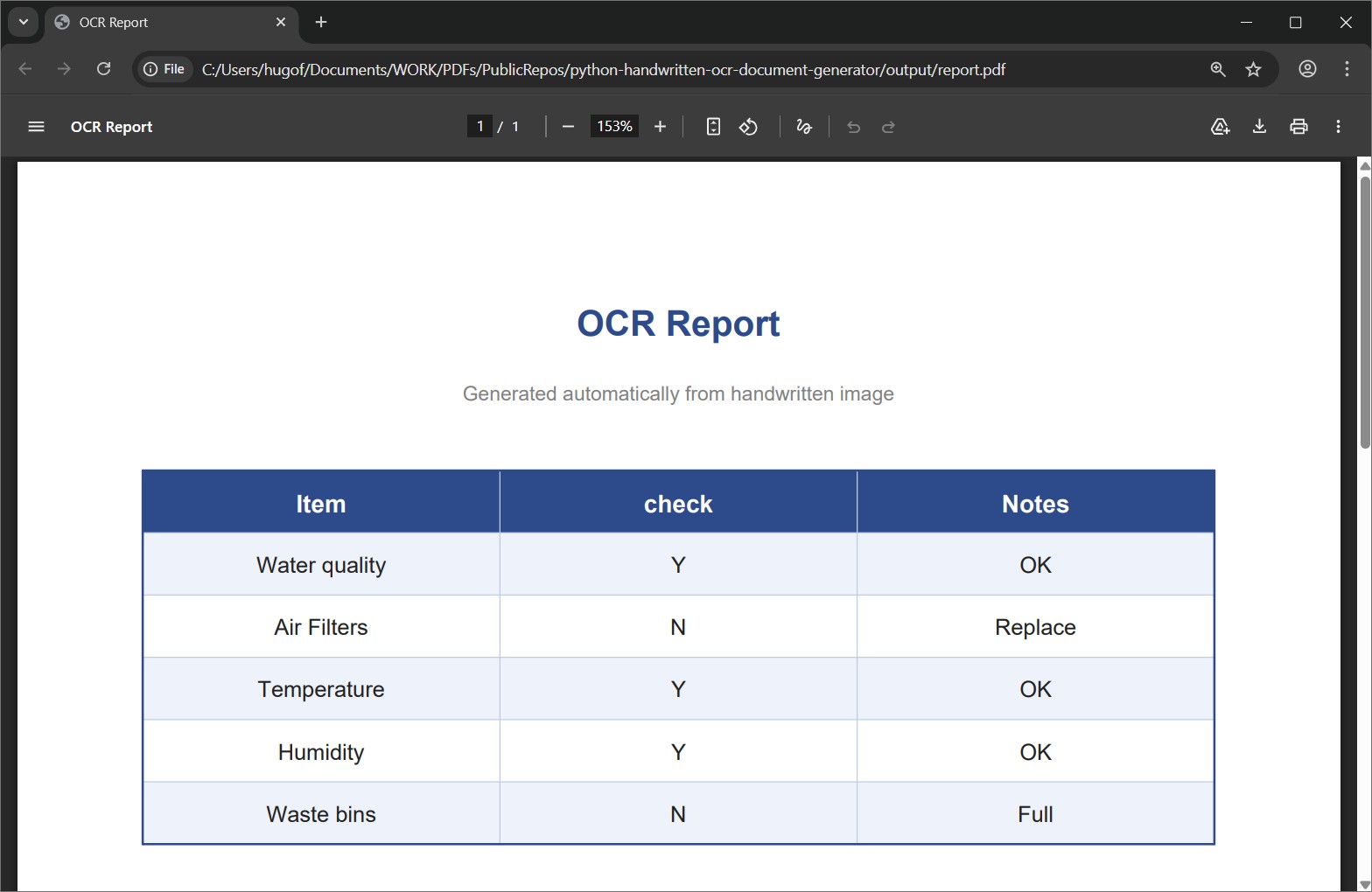
PDF Output
Printable report with title, styled table and footnote, generated with ReportLab.
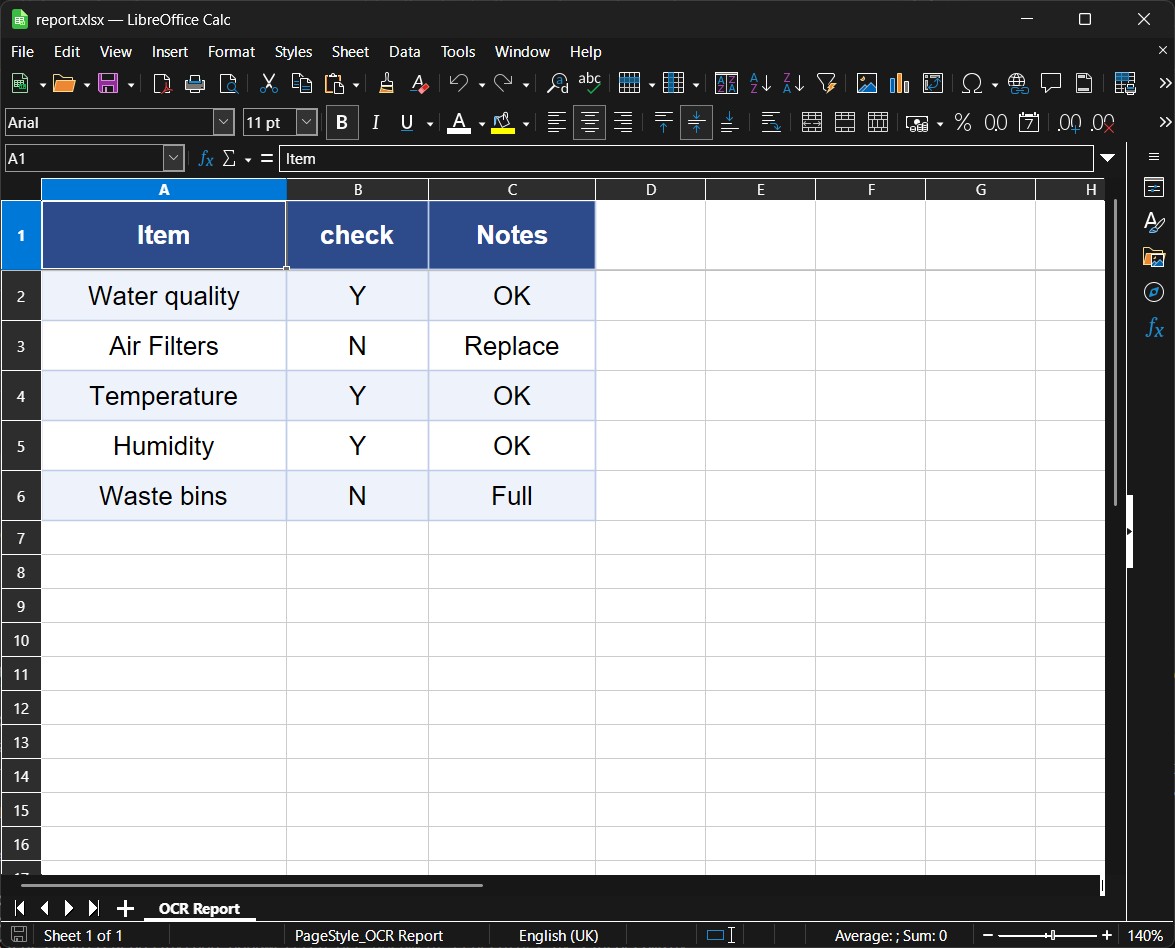
Excel Output
Formatted workbook with frozen header, alternating rows and auto-sized columns.
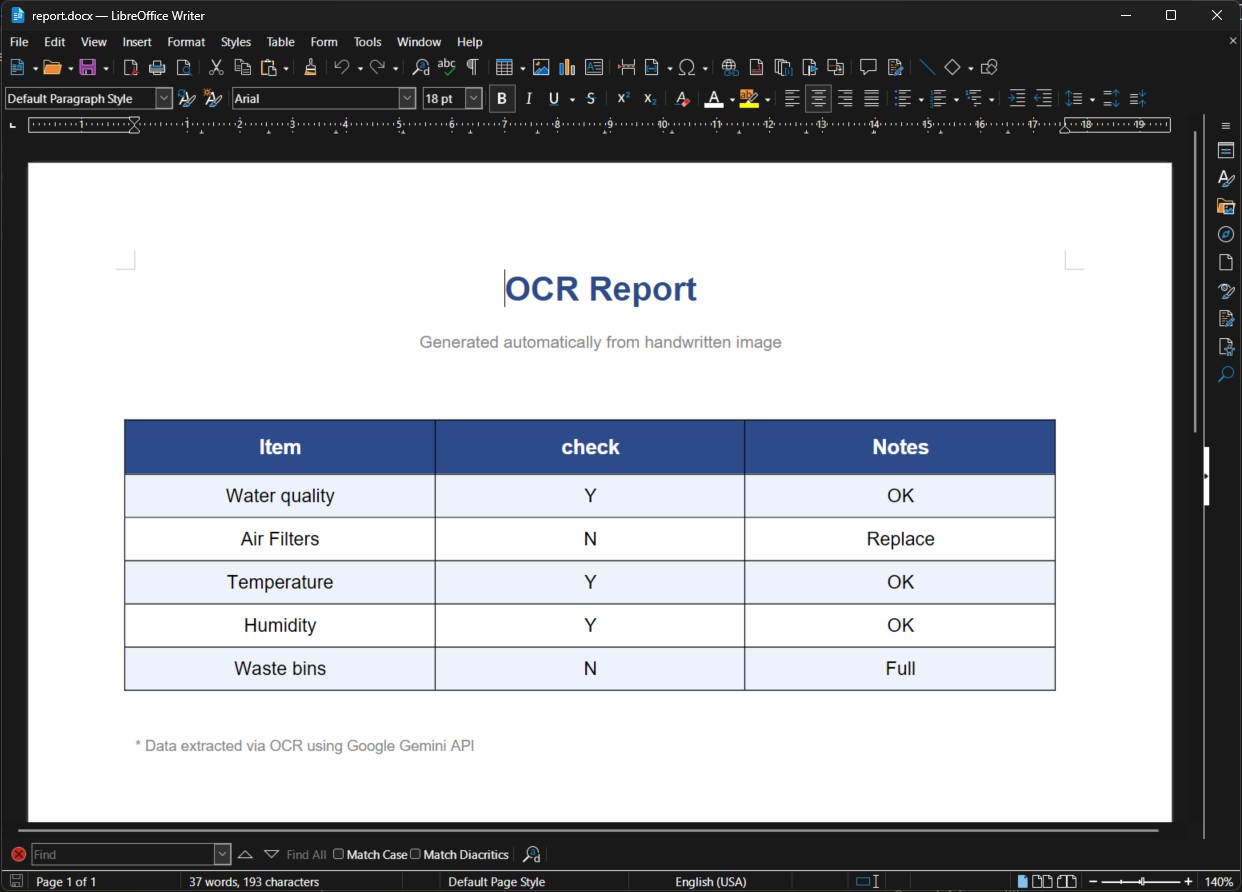
Word Output
Editable .docx file with matching styles, ready to share or modify.
This pipeline detects and corrects EXIF image orientation automatically, sends the image to Google Gemini, and parses the structured response into PDF, Excel and Word — no hardcoded templates, no manual data entry. Tested against EasyOCR, which failed on cursive handwriting with confidence scores below 10%.
PDF Sensitive Data Redaction — Text, Images & Metadata
A complete case study on what actually happens when you ask AI chatbots to redact a PDF — and why a specialised pipeline is needed to do it correctly.
"Can't I just ask ChatGPT to redact my PDF?" — Tested. Here's what happened.
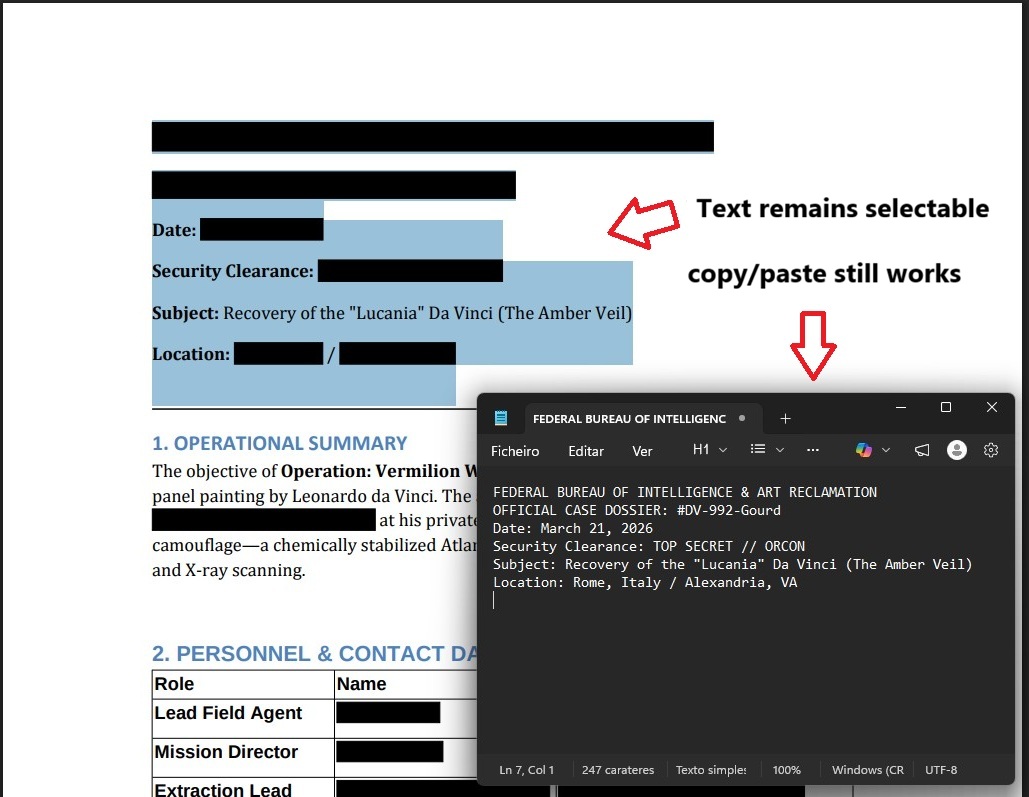
The False Redact Trap
Black boxes drawn over text — but the data is still there. Copy/paste extracts everything.
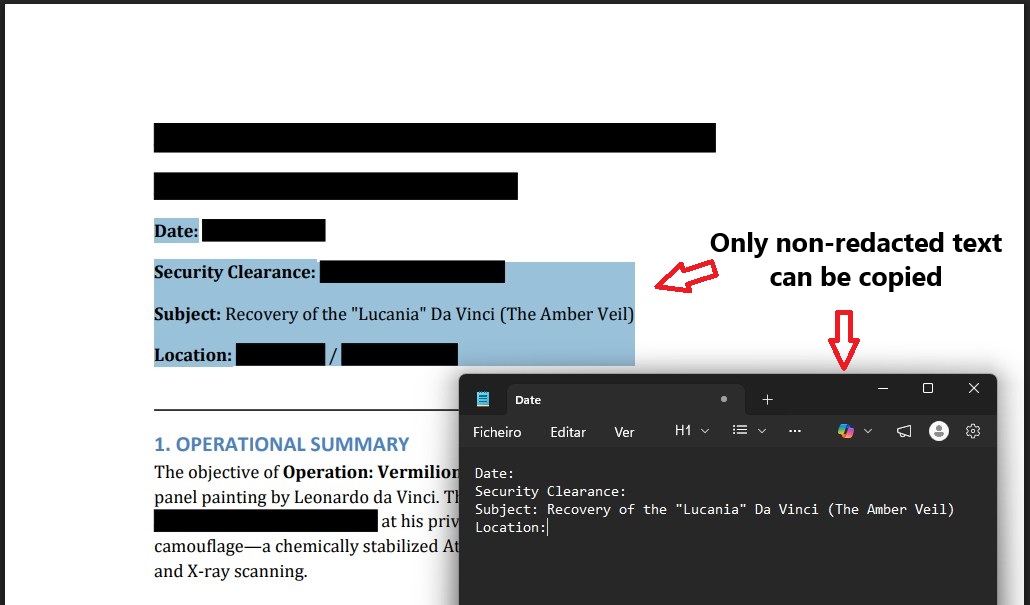
True Text Redaction
Sensitive text permanently removed from the PDF structure. Only non-redacted content can be copied.
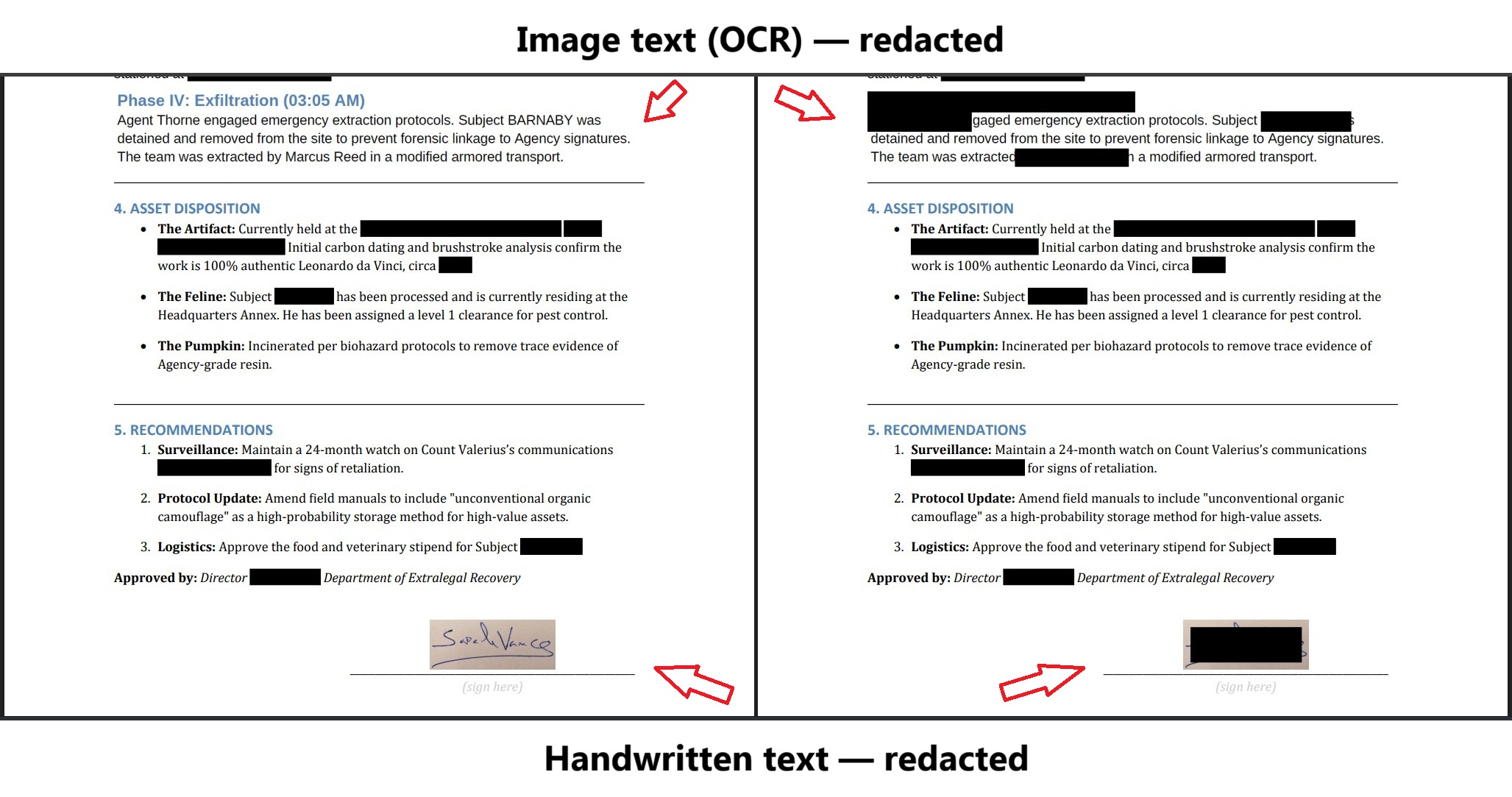
Image Redaction (OCR)
Sensitive text inside embedded images located via OCR and permanently overwritten. Handwritten content redacted as a safe fallback.
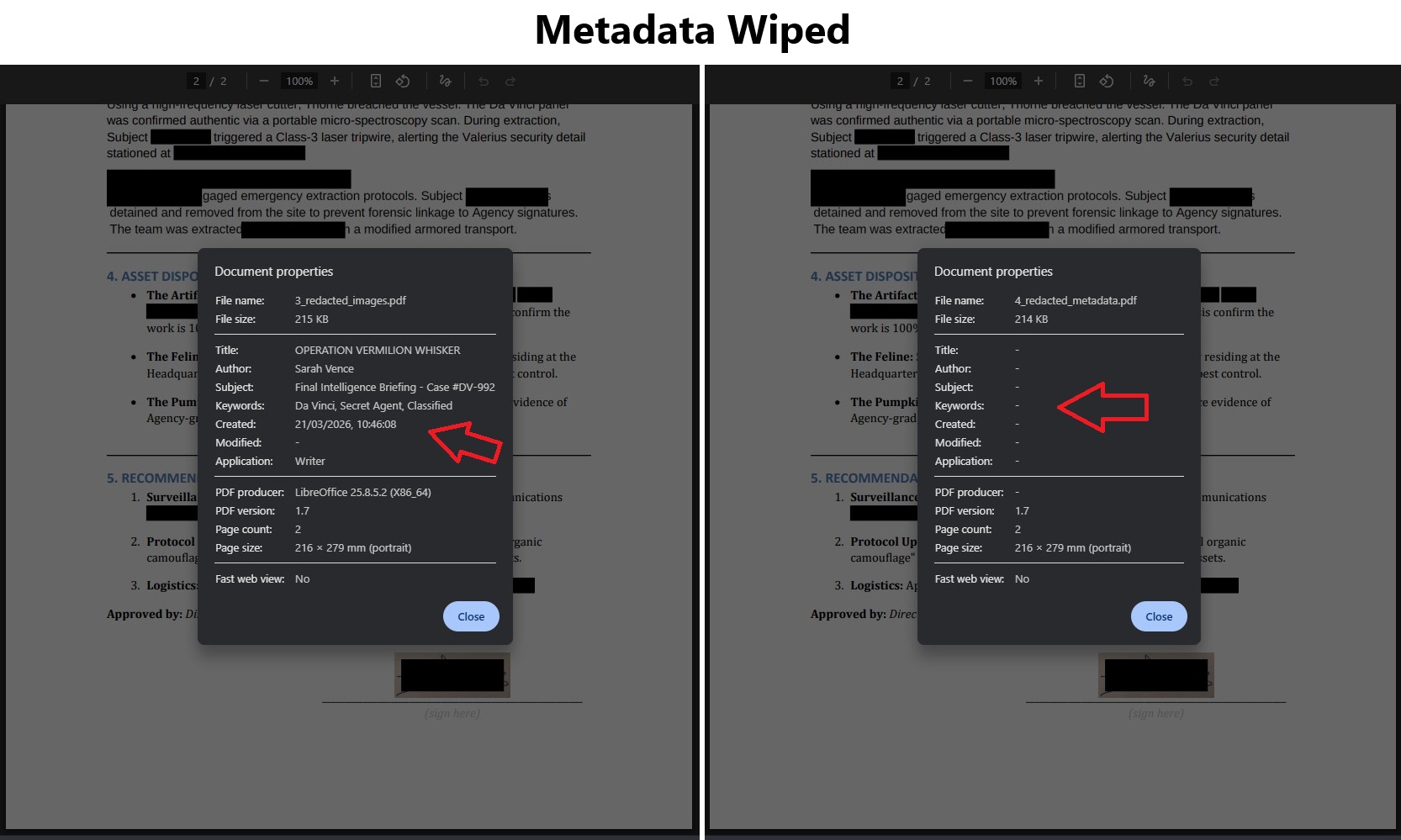
Metadata Wiped
Author, title, keywords, creation date and software fingerprint removed from the final file.
Four AI chatbots were tested with the same document and the same request. Gemini and Mistral refused to produce a PDF. Copilot returned the original file unchanged and claimed it had been fully redacted. ChatGPT made three attempts — the best result still left names visible, dropped words mid-sentence, and ignored images. This pipeline uses AI only for classification (Google Gemini) and specialised libraries for precision editing (PyMuPDF, EasyOCR) — each tool doing only what it is good at.
AcroForm Data Extraction — Filled PDF to Excel
A patient admission form filled in a standard PDF reader, processed entirely with Python. Fields are located by position — not by name — so the approach works on any AcroForm, including forms from third parties.
Filled Form
A patient admission AcroForm filled in any standard PDF reader — no special software.
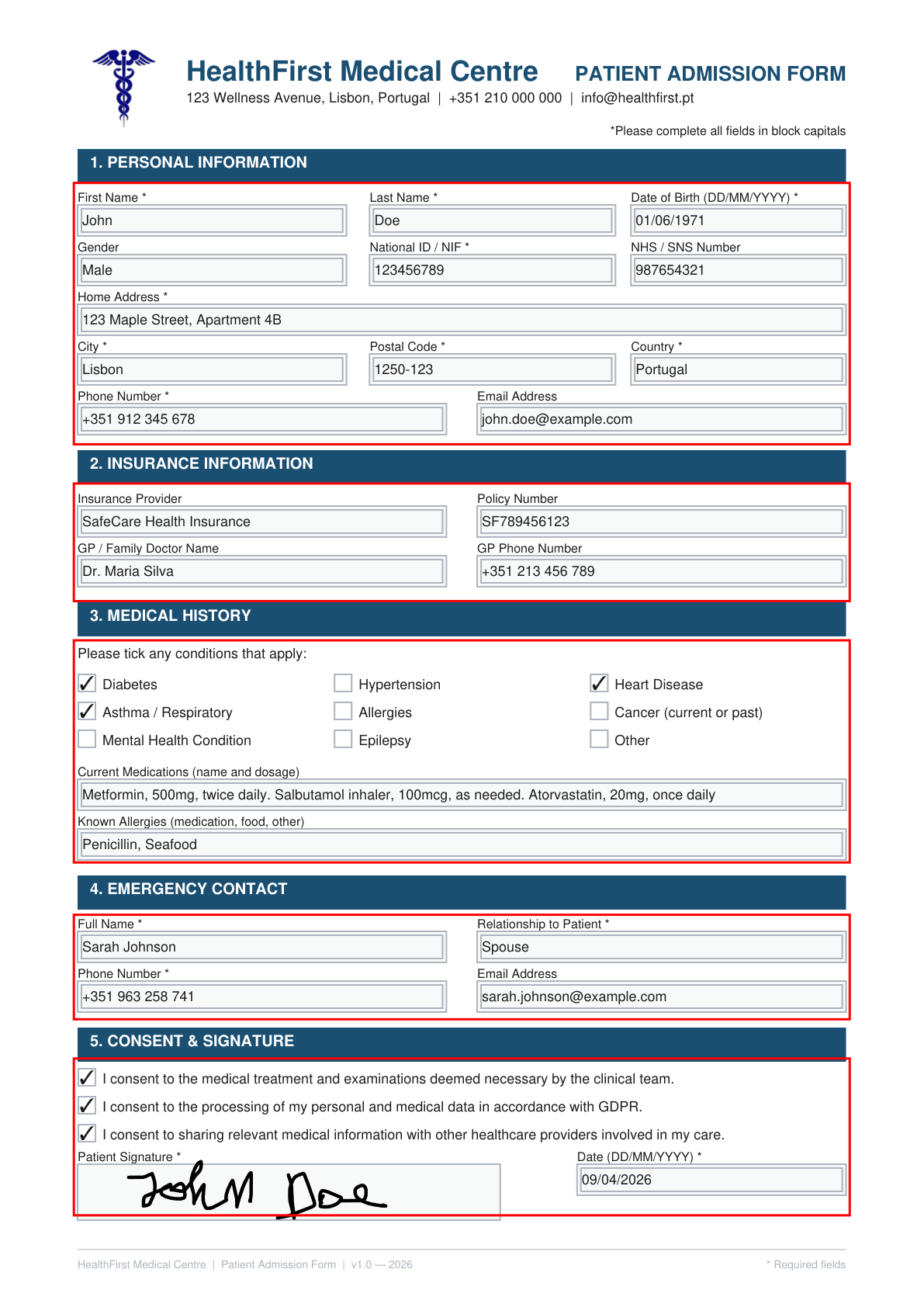
Spatial Calibration
Section boundaries defined as percentages of page height and visualised before extraction runs.
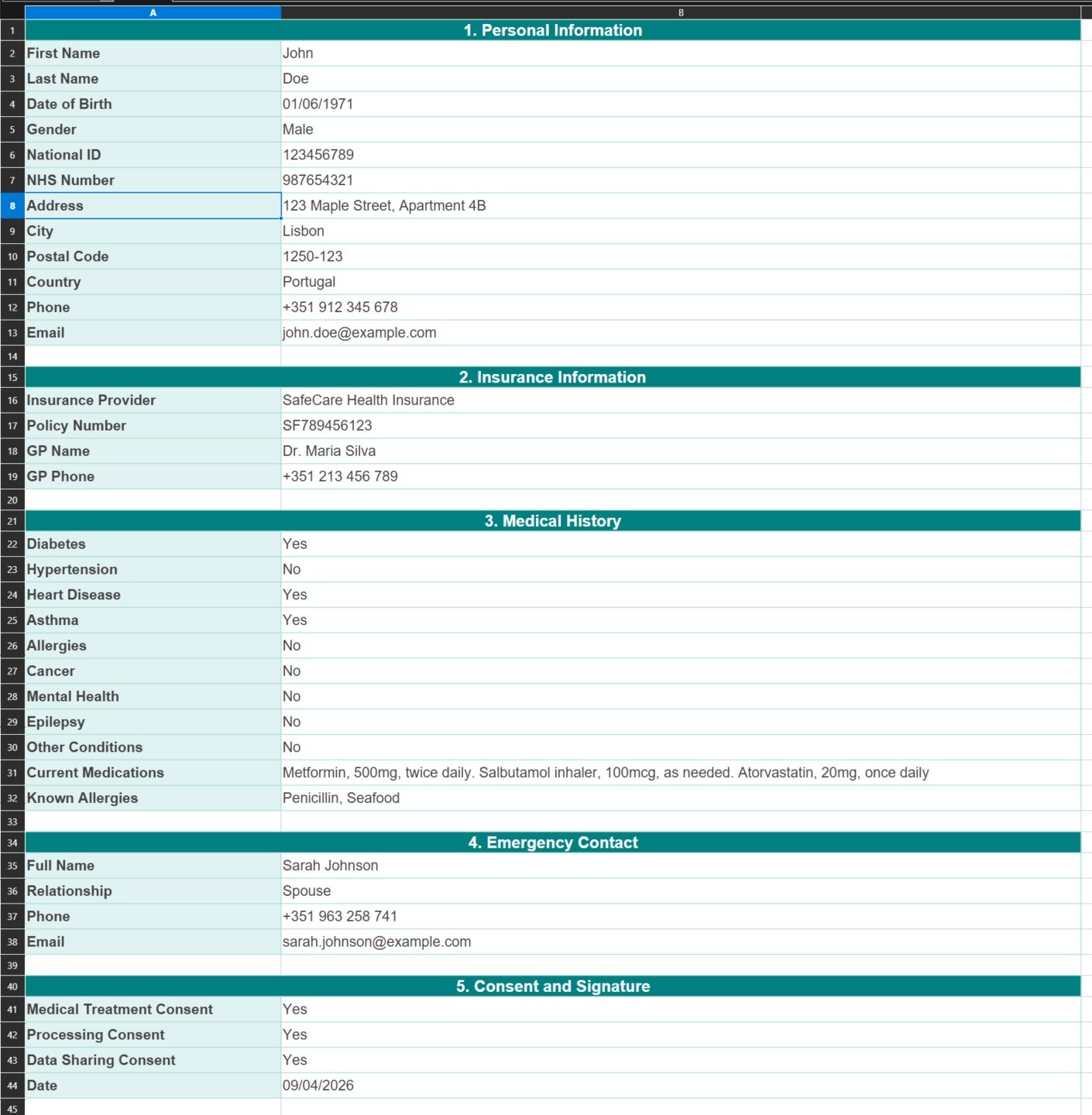
Extracted to Excel
All 35 fields written to a formatted workbook — grouped by section, no manual copying.
Fields are matched to sections by spatial intersection — if a widget's bounding rectangle falls inside a defined region, it belongs to that section. This makes the pipeline robust to third-party forms where field names are unknown. An inspection mode renders the section areas onto a debug PDF for visual confirmation before any data is extracted.
Python AT&T Mobility PDF Extractor
This project extracts and processes AT&T Mobility usage data from PDF statements, allowing for automated analysis and reporting. The script parses detailed call records, including timestamps, cell locations, and call types, and exporting to CSV.
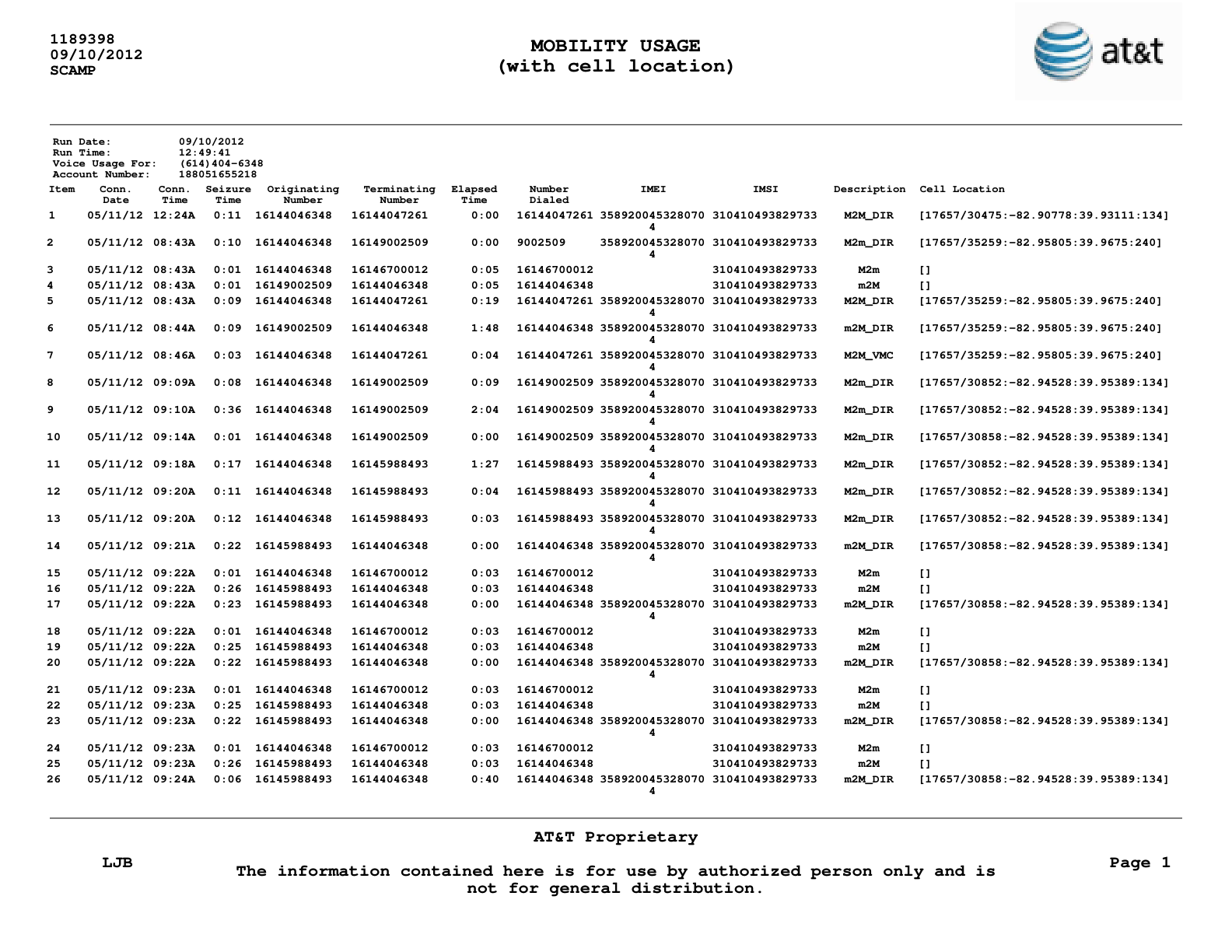
Source PDF Statement
A sample page from an AT&T Mobility usage PDF statement, showing detailed call records.
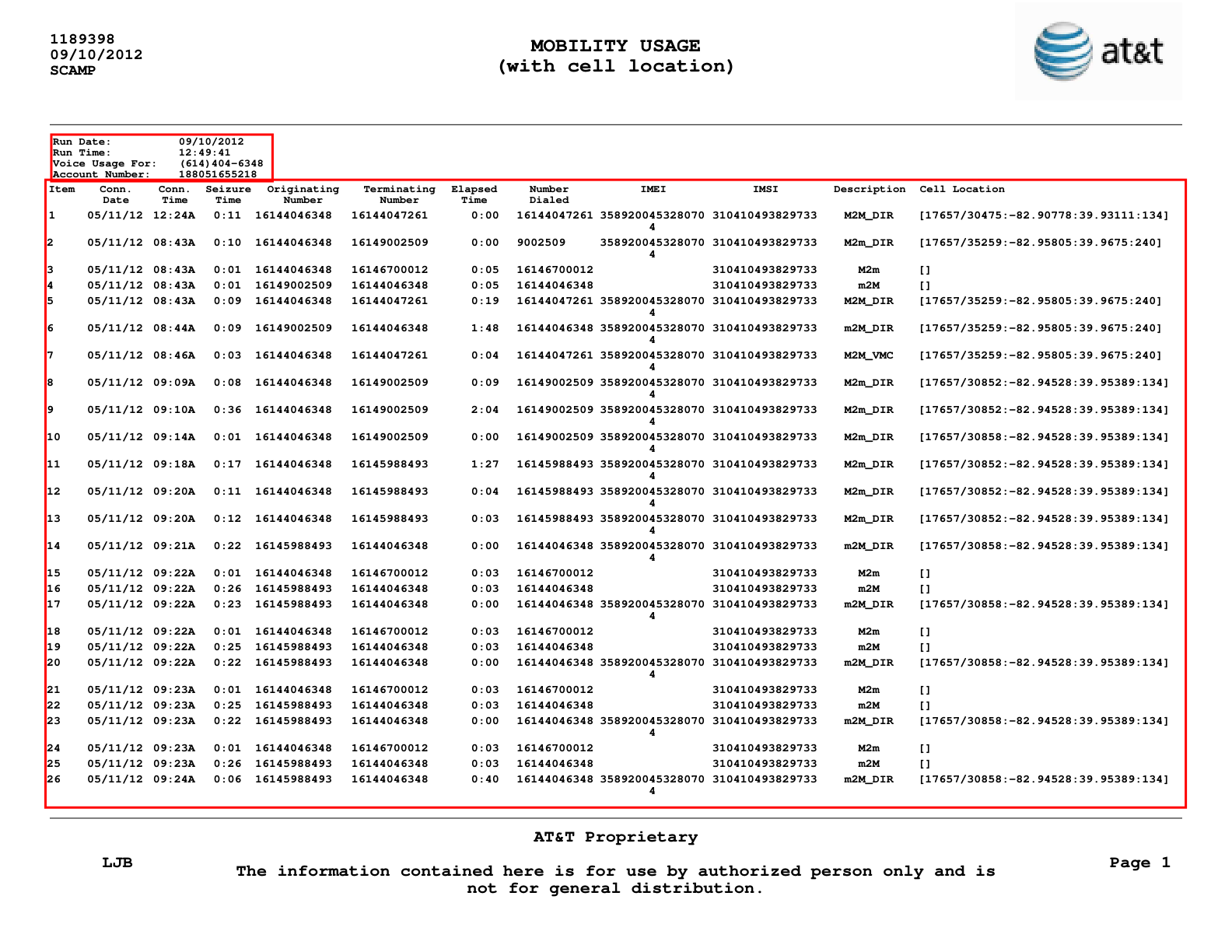
Spatial Calibration
Section boundaries defined as percentages of page height and visualised before extraction runs.
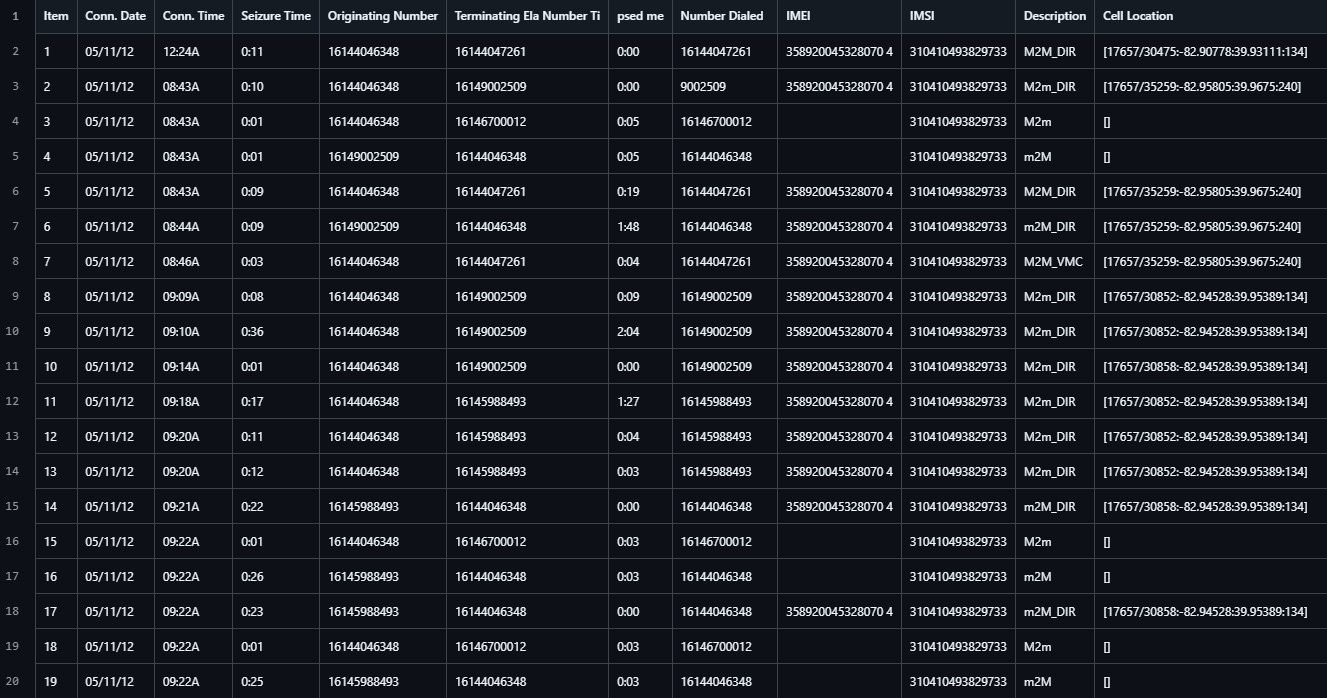
Extracted Data
A preview of the extracted and structured data, ready for analysis or integration with other systems.
The script uses libraries like PyMuPDF for PDF parsing and pdfplumber for data manipulation, ensuring high performance and reliability. It is particularly useful for telecom audits, cost analysis, or integration with internal reporting tools.
Learn from my Mistakes
Skip the months of headache. I've distilled my entire PDF automation workflow into these step-by-step courses.
Python PDF Generation: From Beginner to Winner
A hands-on journey based on real client projects. I’ve spent months distilling my professional workflow into this course, so you can skip the frustration of broken layouts.
- ✔ Tables, Paragraphs & Flowables
- ✔ Security (Passwords & Permissions)
- ✔ Watermarking
- ✔ Forms (Checkboxes, Textfields, etc)
- ✔ Add JavaScript to PDFs
- ✔ Django Integration
"This is the result of years of trial and error, structured to make you a winner."
Python PDF Handling: From Beginner to Winner
Master the art of PDF manipulation and reverse-engineering. This course goes beyond simple scripts—I’ll teach you how to explore documentation and debug source code to solve impossible tasks. From metadata extraction to advanced page surgery, you'll learn to control every byte of a PDF file.
- ✔ Text & Image Extraction (TXT/PNG)
- ✔ Page Surgery (Rotate, Crop, Resize)
- ✔ Split, Merge & Watermark
- ✔ AI Text Recognition (OCR) from Scans
- ✔ Snapshots & High-Speed Processing
- ✔ Deep-Dive Debugging Skills
"Don't just use a library—learn how to unravel complex problems when no one else has the answer."
Production-Ready Tools
Don't waste days fighting PDF layout engines. Use the same billing systems I've built for professional SaaS projects.
Multi-Page Invoice Generator (Pro)
A deterministic billing engine for Python APIs. Stop dealing with unpredictable HTML-to-PDF tools. This engine handles complex pagination, repeating headers, and international typography natively.
- ✔ Multi-page Flowables (Auto-headers)
- ✔ API-Friendly (BytesIO Streaming)
- ✔ Unicode & International Fonts
- ✔ QR Codes for Payments
- ✔ Page X of Y & Legal Layouts
- ✔ No Headless Browser Required
"Built for developers who need invoices that behave predictably in production."
Need a specific solution?
If you have a unique PDF challenge or need a specific template that isn't listed here, I'm happy to help.
Whether it's a quick question or a custom project, let's see if we can work together to solve it.
Get in Touch
Have a question about a course or product? Let's talk.